

Tayasui Sketches
SKETCHES SRL
Download price only. In-app purchases and subscriptions may cost extra.
- Developer
- SKETCHES SRL
- Version
- 36.8
- Minimum iOS
- 15.0
- Age rating
- 4+
- App Store rating
- 4.54 / 5 (53,890)
- App languages
- NL, EN, FR, DE, IT, JA, KO, PT, RU, ZH, ES, SV, ZH, VI
App Store region: United States · Checked: Sep 21, 2026
Sources & method ↗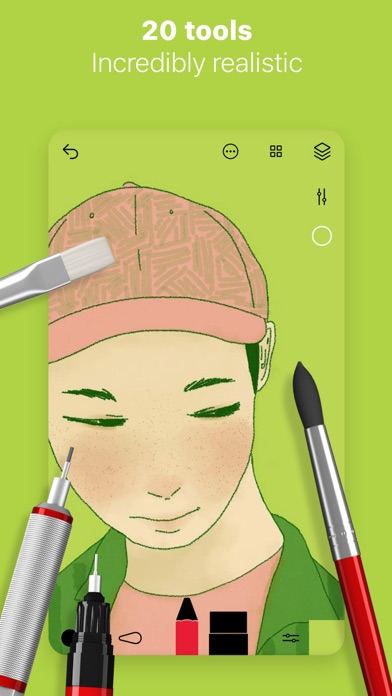

About this app
Because beautiful tools make beautiful drawings, we endlessly refined Sketches brushes to create the most realistic drawing tools. Sketches is the most realistic, versatile and user-friendly sketching app designed for a mobile device. This exhaustive artist's toolbox helps users create dazzling sketches, cheerful paintings and smashing illustrations on the go. Sketches includes a Pro Bundle IAP that make it exactly the same as the Paid Sketches Pro App. • Features - Import photos - Over 20 ultra realistic tools - Incredibly realistic watercolor wet brushes - Brush Editor - Color Eyedropper • Layers - Use layers to simplify your task - Export them as separate PNG with transparency - import and export PSD layered files • Cloud Sync - Backup your drawings to the Cloud - Synchronize your drawings between all your devices - Manage sync options folder by folder • Patterns - Import, draw and customise your own patterns. • Folders Easily organize your drawings to personalize folders. • Pressure Stylus support Discover even more realistic brushes while Styluses. Full support for Apple Pencil. • A Unique feeling: Each stroke behaves vividly and truly like a brush on paper, adapting the pressure, angle, and width to your movements. It's an effect you have to see to believe. • A unique UI with a touch of Zen : Tools are hidden away as you create and the bare minimum buttons are shown to make for a very clean canvas. • List of tools - Pen - Rotring - Felt Pen - Pen Brush - Oil Pastel - Watercolor Dry and Wet brushes - Acrylic brush - Airbrush - Area and Filling tool - Patterns - Text - Shapes (iPad only) - Eraser - Cutter - Smudge tool - Ruler Subscribe to access to premium app features; subscription details are the following: • Length: weekly, yearly • Your payment will be charged to your iTunes Account as soon as you confirm your purchase • You can manage your subscriptions and turn off auto-renewal from your Account Settings after the purchase • Your subscription will renew automatically, unless you turn off auto-renew at least 24 hours before the end of the current period • The cost of renewal will be charged to your account in the 24 hours prior to the end of the current period • When canceling a subscription, your subscription will stay active until the end of the period. Auto-renewal will be disabled, but the current subscription will not be refunded • Any unused portion of a free trial period, if offered, will be forfeited when purchasing a subscription Terms of Use: https://www.apple.com/legal/internet-services/itunes/dev/stdeula/
What’s new
Bug fixing and stability improvements